AS216394 · WireShield

WIRESHIELD WEB PROTECTION · L7

L7 protection for your website and APIs.

Analyze HTTP traffic and manage your protection with WAF, rate limits and challenge policies.

  • WAF
  • HTTP DDoS
  • Rate Limiting
  • Caching
  • Always Live
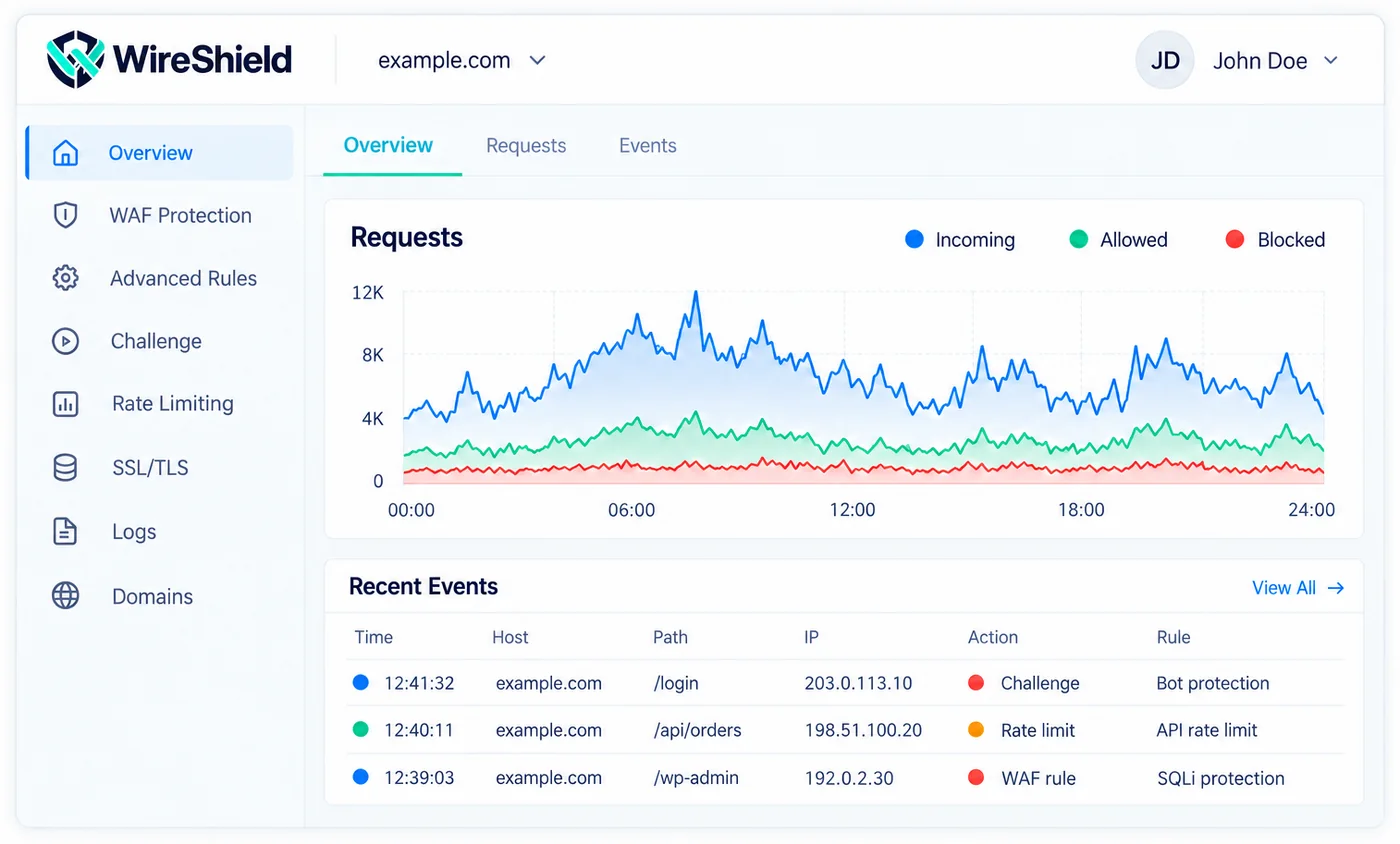
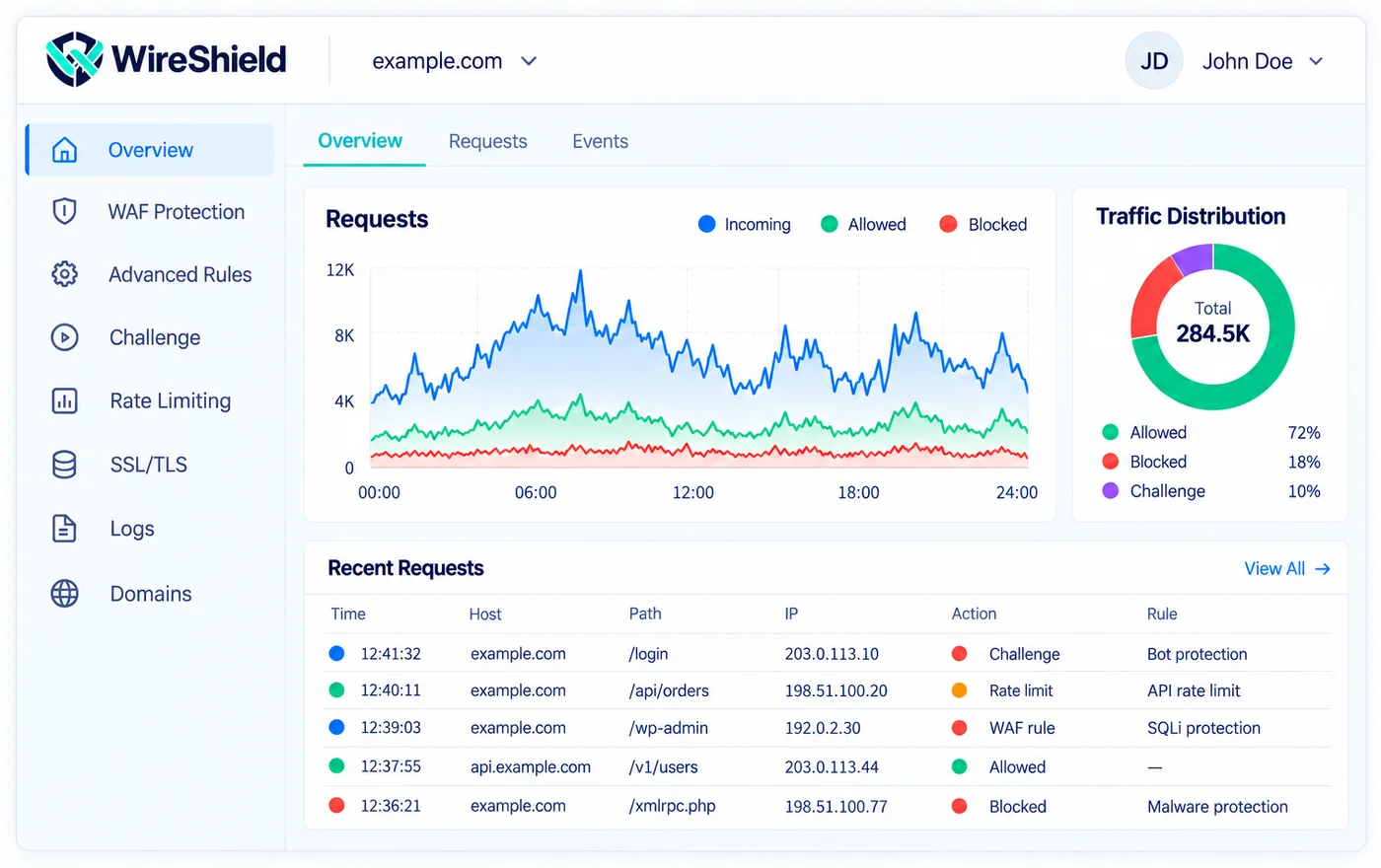
WireShield Web Protection dashboard: requests, allowed and blocked traffic, recent events

Protection focused on your web applications.

Shared visibility and policy management for websites, customer portals and HTTP APIs.

  • Websites

    Protect HTTP traffic for your corporate websites and applications.

  • API endpoints

    Apply flexible rules and security policies to your REST APIs.

  • E-commerce and customer portals

    Support the continuity of customer portals, e-commerce sites and web applications.

Evaluate every request with the right policy.

  1. HTTP DDoS control

    Apply protection policies based on request rate and service behavior.

  2. Web Application Firewall

    Filter unwanted HTTP requests with managed and custom rules.

  3. Rate limiting

    Set request limits per URL and service need.

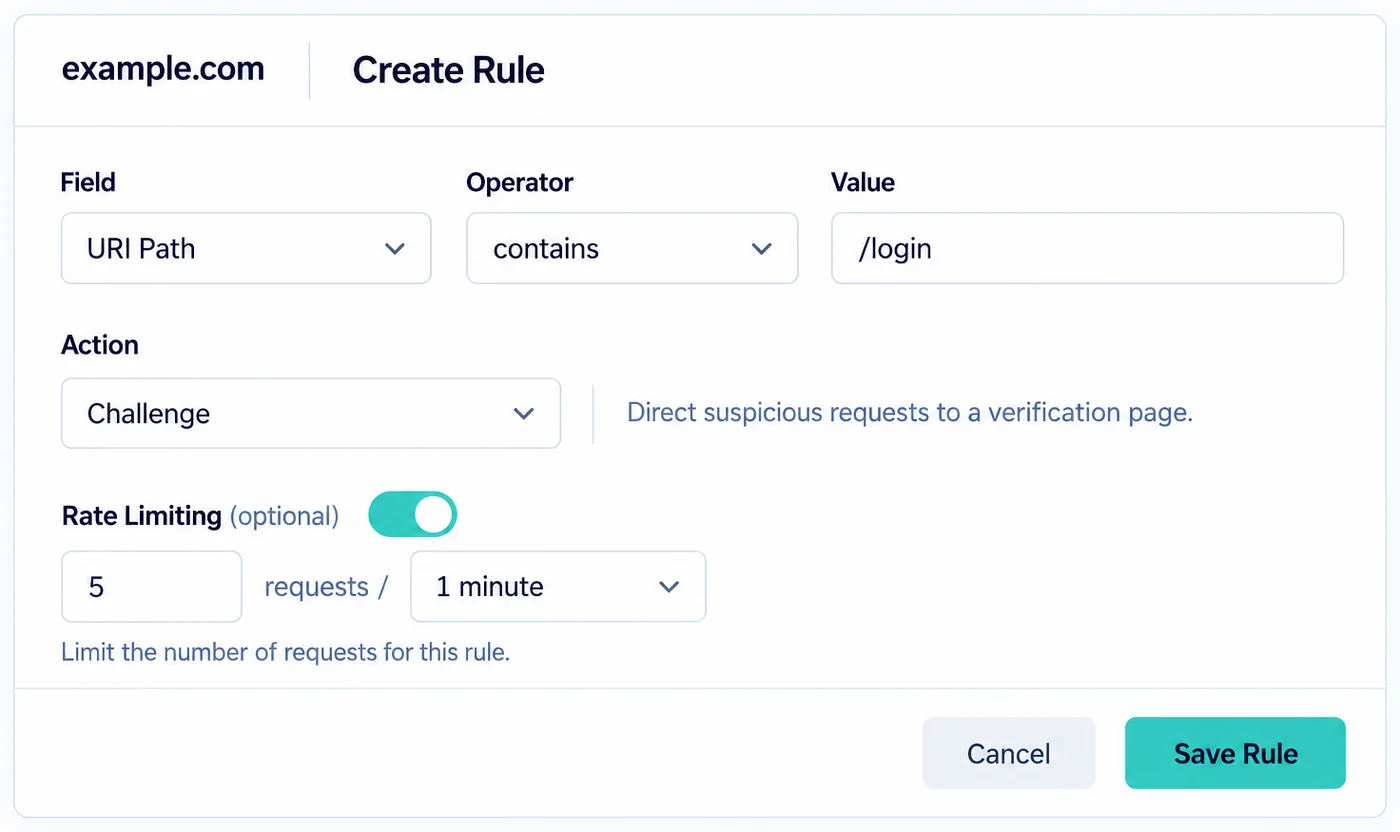
Rule creation screen: field, operator, value, action and rate limiting
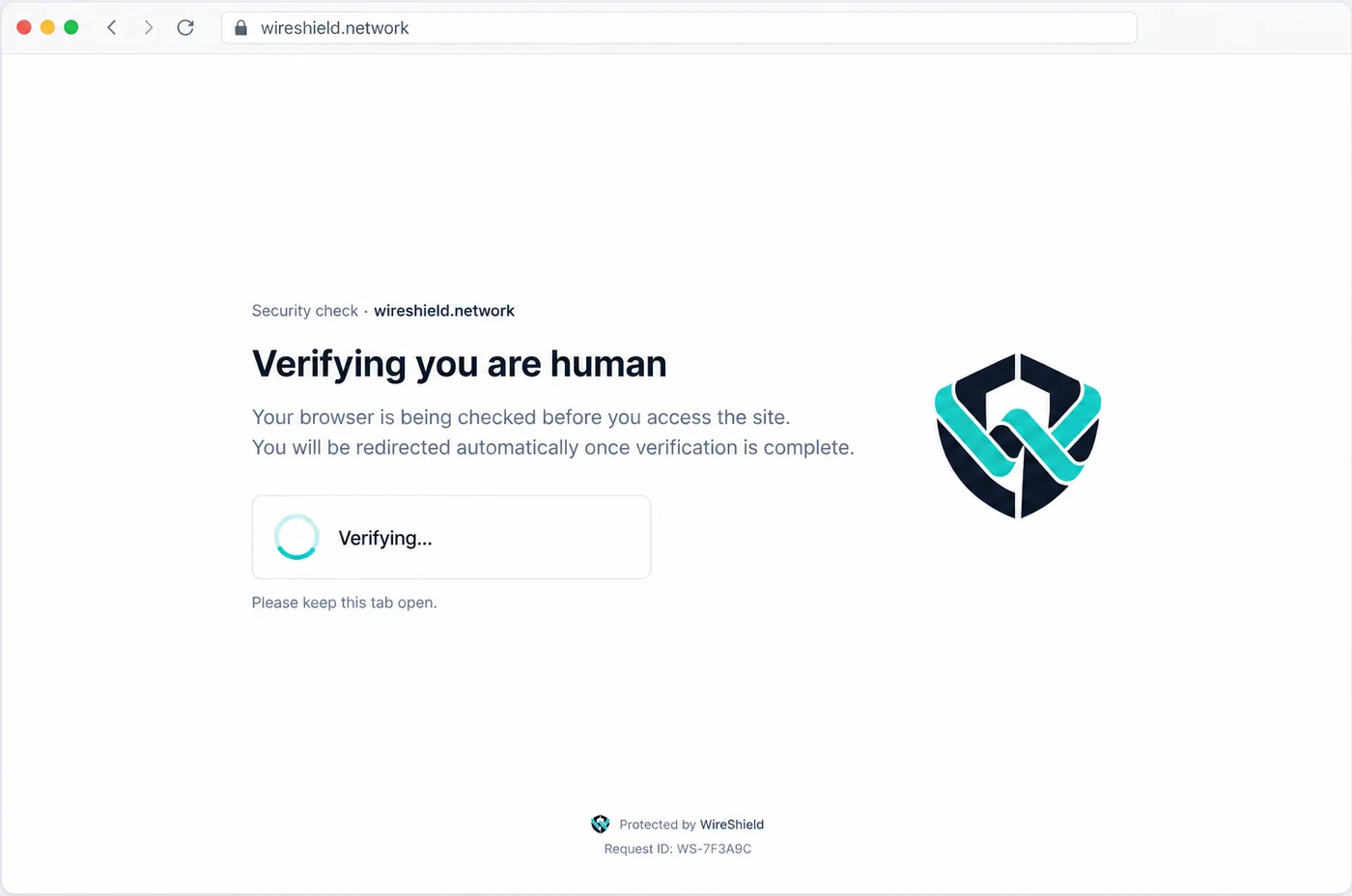
Customizable security check page: “Verifying you are human” with logo and texts

You are in control. Rules fit your application.

  • Customizable challenge pages

    Show the security check page with your own logo and texts, so visitors see your brand.

  • Challenge policies

    Manage checks for the relevant domain and paths.

  • Rules suited to API traffic

    Treat browser checks separately from your API endpoints.

  • Exceptions and access rules

    Create policies that suit your legitimate service flows.

Add your domain. Plan your protection.

We plan the traffic routing together while keeping your existing hosting infrastructure.

  1. 01

    Domain and origin details

    Define the domain to protect and your origin server details.

  2. 02

    DNS and SSL/TLS setup

    Make the routing and SSL/TLS settings required for your domain.

  3. 03

    Policy and traffic control

    Put your WAF, rate limiting and challenge rules into use.

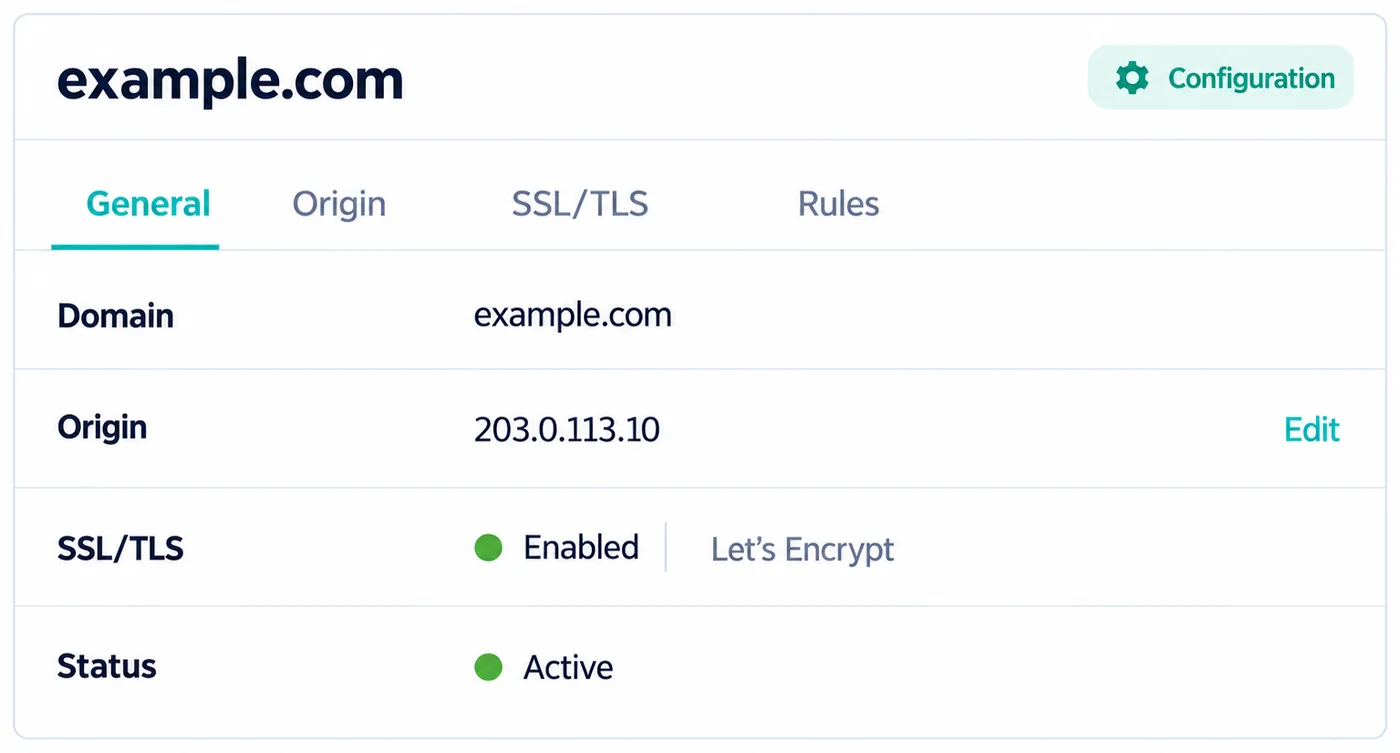
Domain settings: origin, SSL/TLS and status

Cache static files, speed up your site.

Static files are stored on WireShield WAF nodes, so your site loads faster and your origin server carries less load.

  • Cache duration and query parameters

    Choose how long static files are stored and the browser cache duration; include or ignore query parameters.

  • Cache rules

    By default only static files (js, css, images, fonts, pdf…) are cached. Add rules to cache HTML pages or to keep a path such as /api/ out of the cache.

  • Always Live

    When the origin server stops responding, visitors see the last good copy of each page. On by default.

  • Purge on demand

    Clear the whole cache on all nodes, or up to 30 URLs at once.

  • Development mode

    Bypass the cache for 3 hours while you change your site; every request goes to your origin server.

  • Cache statistics

    Follow the hit ratio and the requests and data served from the cache.

ON BY DEFAULT

Cache Deception Armor

Protects against web cache deception. An attacker cannot get a private page stored in the cache by adding a static file ending such as .css or .jpg to its address, so account and session pages are not served to other visitors from the cache. It is on by default in both the cloud and on-premise options and in every plan; you can turn it off if you need to.

ALWAYS LIVE

ON BY DEFAULT

Your site stays live, even when your server is down.

When the origin server stops responding, visitors see the last good copy of each page.

  • Origin down, site up

    Visitors keep browsing: instead of an error page they get the last good copy of each page.

  • Works with the cache

    The last good copies come from the WireShield cache. Cache rules decide which files and pages are stored.

  • On by default

    Always Live is on by default. There is nothing to switch on.

See how caching works

One view, from request to attack record.

All security events for your website and APIs in a single interface.

Web Protection management panel: requests, traffic distribution and recent requests
  • Live request visibility

    Watch your traffic in real time.

  • Rule and action logs

    Review all security events.

  • Per-domain management

    Manage all your domains in one place.

  • API integration

    For automation and custom workflows.

Use it in the cloud or run it on your own servers.

Two ways to use Web Protection: ready-to-use on the WireShield cloud, or installed on your own infrastructure. Both options have exactly the same features.

WIRESHIELD CLOUD

Cloud

Point your DNS records to WireShield and start using the protection right away.

  • Start by pointing your DNS records to WireShield
  • Reseller accounts: offer the protection to your own customers
  • The infrastructure is run by WireShield

ON-PREMISE · WHITE-LABEL

On-Premise / Self-hosted

Install it on your own servers and offer it under your own brand.

  • Install on your own servers
  • White-label: use and sell it under your own brand
  • Manage your own nodes yourself
  • Create reseller accounts for your customers

Choose where your traffic is processed.

Choose per domain: run it on the whole Global Network, or in a single location of your choice.

  • ALL LOCATIONS

    Global Network

    Your site runs on every location in the network. Visitors are automatically routed to the closest one, and if a location stops responding, traffic moves to the others automatically.

OR

Run it in one location only

  • Türkiye

    Istanbul

    Your traffic and your data stay in Türkiye and do not leave the country. For organisations that want to keep their data in Türkiye.

    KVKK compliant

  • Germany

    Frankfurt

    A European location for visitors in Central and Western Europe.

  • Bulgaria

    Sofia

    A European location for visitors in the Balkans and Southeast Europe.

  • Netherlands

    Amsterdam

    A European location for visitors in Western and Northern Europe.

Frankfurt, Sofia and Amsterdam are inside the European Union. If your data has to stay in Türkiye, choose Istanbul. Not sure which location fits? Tell us where your visitors and your data are.

Complete network protection with the web layer.

Web Protection · HTTP/HTTPS

WAF and HTTP traffic policies for websites and APIs.

Web protection for every site and API that has to stay open.

WAF, rate limiting and challenge policies for websites, customer portals and HTTP APIs.

  • E-commerce

    Keep carts and checkout open during campaigns and peak traffic

  • Fintech and banking

    Protect login and API endpoints with rate limits and challenges

  • SaaS and customer portals

    Manage browser checks separately from your API traffic

  • Media and publishers

    Cache static files and keep pages up when traffic spikes

  • Education and public portals

    Keep portals available at registration and exam peaks

  • Agencies and hosting resellers

    Offer protection to your clients under your own brand

Questions you may have.

How is it different from L3/L4 protection?

L3/L4 protection (Remote or Inline) stops volumetric and protocol attacks at the network and transport layers, such as UDP flood and SYN flood, at prefix level. Web Protection works at the HTTP/HTTPS layer and applies WAF, rate limiting and challenge policies by domain, URL and request behavior. The two complement each other.

Can I stay with my current hosting provider?

Yes. We work while keeping your existing hosting infrastructure; you define your origin server details and we plan the traffic routing together.

How are challenges managed for API traffic?

You can treat browser checks (challenges) separately from your API endpoints. You define policies per domain and path and create exceptions for your legitimate service flows.

How are SSL/TLS and the origin connection planned?

We configure the routing and SSL/TLS settings your domain needs together. You define your origin details; the connection and certificate settings are planned during setup.

What determines the pricing?

Pricing depends on the domains and applications to protect, traffic volume and your policy needs. After a technical assessment we make an offer that fits.

Is it available in the cloud, or can I install it on my own servers?

Both. In the cloud you point your domain’s DNS records to WireShield and start using the protection right away. With the on-premise (self-hosted) option you install it on your own servers, manage your own nodes and use it as a white-label service.

Can I resell it or offer it as a white-label service?

Yes. In the cloud you can open reseller accounts for your customers. With the on-premise option you run the service under your own brand, manage your own nodes and create reseller accounts yourself.

Can the challenge page be customized?

Yes. You can customize the security check (challenge) page shown to visitors, for example with your own logo and texts, so it fits your brand.

What does the cache store?

By default only static files such as js, css, images, fonts and pdf. You can add rules to cache HTML pages or to keep paths such as /api/ out of the cache. Only GET and HEAD requests are cached, and WAF checks also apply to cached responses.

What happens if my origin server stops responding?

With Always Live, visitors see the last good copy of each page while your origin server is not responding. It is on by default. The copies come from the WireShield cache, so your cache rules decide which pages and files are stored.

What is Cache Deception Armor?

It protects against web cache deception, an attack that tricks a cache into storing a private page by adding a static file ending such as .css to its address. It is on by default in the WireShield cache, in the cloud and on-premise options and in every plan, and you can turn it off if you need to.

Can I choose where my traffic is processed?

Yes, per domain. You choose the Global Network (all locations; visitors are automatically routed to the closest one) or a single location: Istanbul (Türkiye), Frankfurt (Germany), Sofia (Bulgaria) or Amsterdam (Netherlands). With Istanbul, your traffic and your data stay in Türkiye and do not leave the country, a KVKK compliant choice for organisations that have to keep their data in Türkiye.

Let’s plan protection that fits your web infrastructure.

Contact our team to talk through your technical needs.