Technical Guide
What is a WAF? How a web application firewall works
 WireShield Team · 7 min read
Read post


Technical Guide
With symmetric protection reply traffic also passes through the filtering layer; with asymmetric protection only inbound traffic is filtered. Learn the differences, the trade-offs and how to choose.
WireShield Team
6 min read
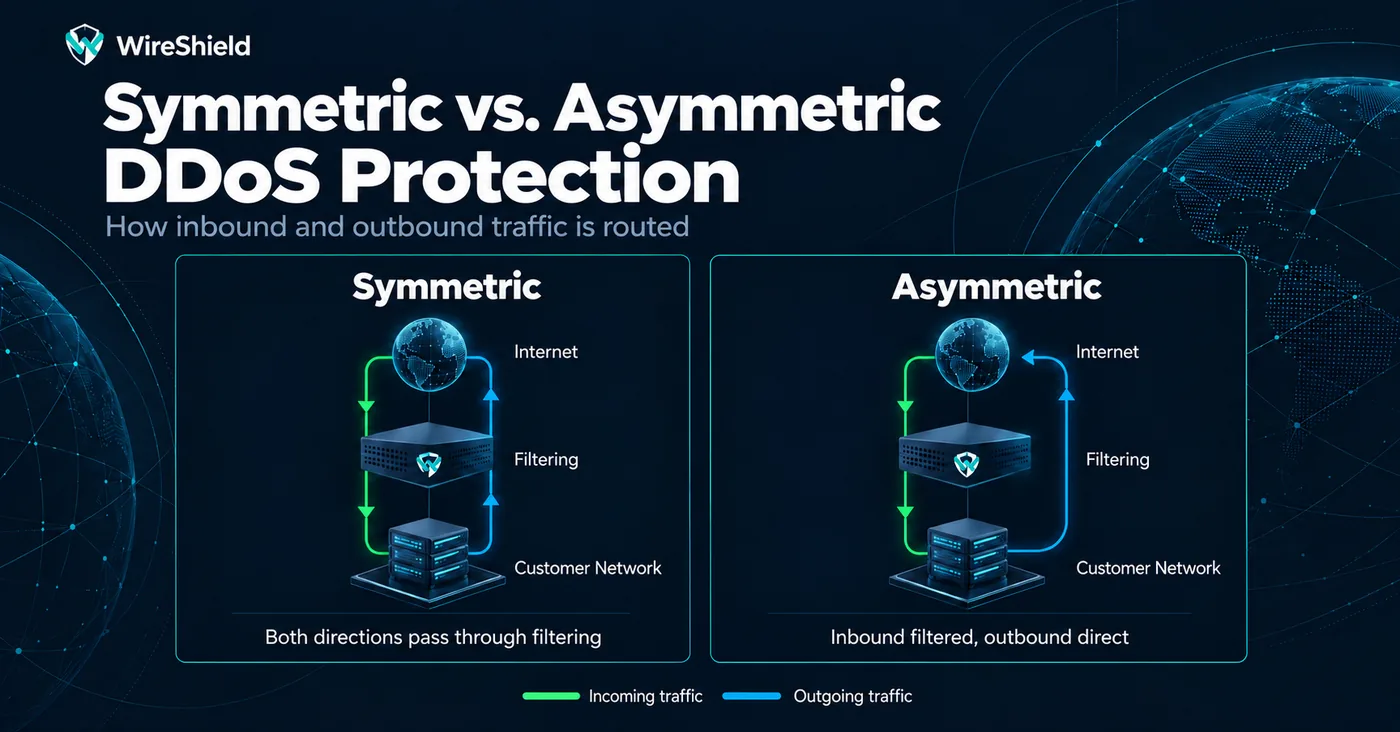
When choosing DDoS protection, one question is often skipped: is filtering inbound traffic enough, or does the protection need to see outbound traffic too? Yet this question decides which attacks the protection stops, and how precisely. The answer depends on the paths traffic takes into and out of your network: symmetric or asymmetric?
A connection has two directions: requests coming to you and replies leaving you. In DDoS protection, the question is which of these directions the filtering layer sees.
This difference decides whether the protection layer can tell if a packet is "part of a conversation your network started" or "traffic nobody asked for".
With asymmetric protection the layer sees only inbound traffic. Each packet is inspected on its own and decided by rules, thresholds and filters. This approach works with tools such as:
Advantage: It is simple to set up and needs no change to your routing; your reply traffic leaves by its usual path. For many hosting providers, ISPs and enterprise networks this is the starting point.
Limit: Because the layer does not see the reply direction, it cannot know whether a packet answers a connection your network started. Reflection and spoofed floods that a single packet does not reveal need dedicated filters, which means rules must be tuned more carefully. We explained why these attacks are hard to tell apart in our UDP flood guide.
With symmetric protection your replies pass through the filtering layer too, so the layer knows which connections your network started. Inbound traffic is allowed through only when:
Everything else is dropped as "nobody asked for this". The result: reflection and spoofed floods that no single packet reveals stop on their own, because nobody requested that traffic.
Tip: To avoid cutting legitimate traffic because a service was missing from the list, run symmetric protection in Monitor mode first and review the "would drop" counters. For details see the prefix modes on the Technology page.
| Asymmetric protection | Symmetric protection | |
|---|---|---|
| Traffic through the filter | Inbound only | Inbound and outbound |
| Reply traffic | Leaves your network directly | Passes through the protection layer |
| Setup | Simple, little routing change | The reply path must be arranged |
| Reflection and spoofed floods | Stopped with rules and filters | Dropped naturally using conversation state |
| Service list | Not needed | Services open to the Internet are defined |
| Fits when | Many or changing services, complex routing | Prefixes serving a few well-known services |
The choice for a prefix can change over time; many networks start asymmetric and move to symmetric as the need appears.
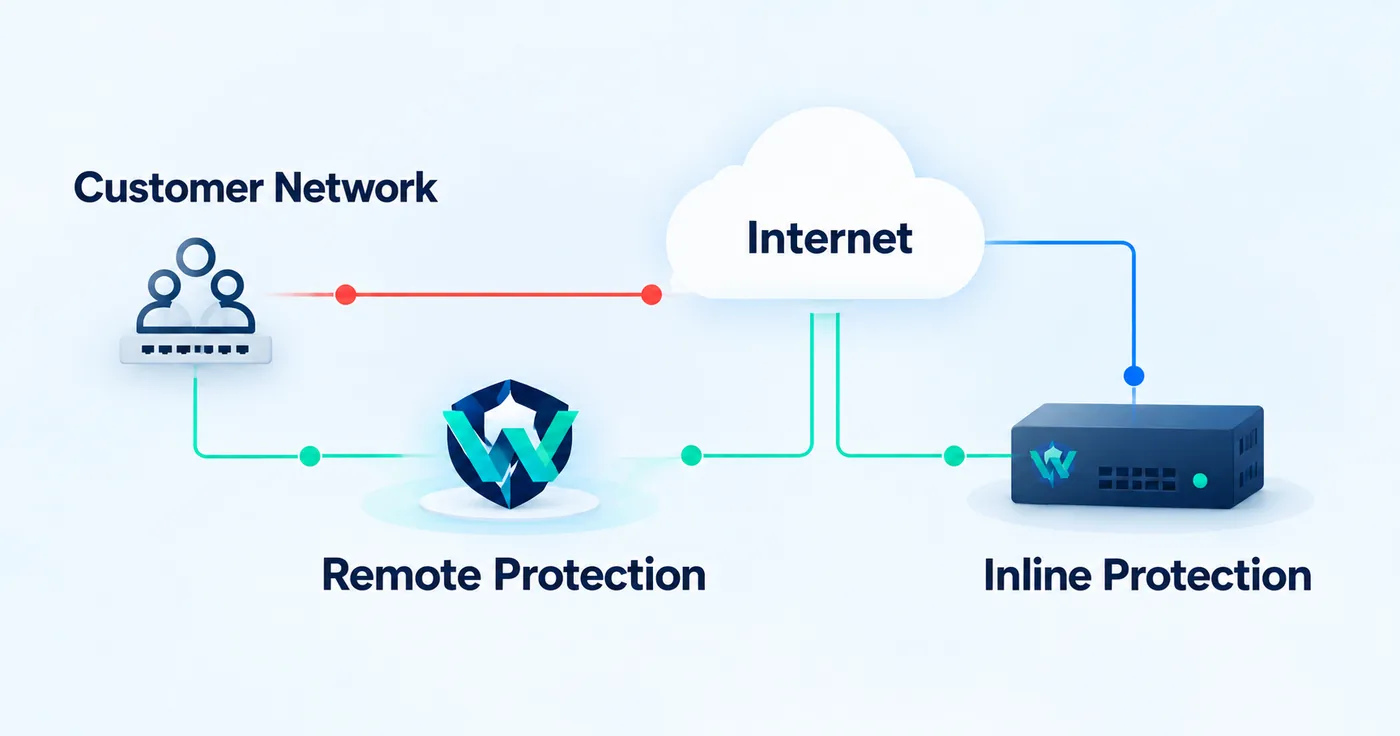
WireShield supports both approaches. With remote DDoS protection and on-site (inline) protection with WireShield Edge, you choose the one that fits your network. Symmetric protection is set per prefix; in Always On mode filters always apply, in Automatic mode only during an attack, and in Monitor mode they only count. If no reply traffic has been seen yet, traffic is not cut: protection waits until it sees reply traffic. How each option is set up in your network is decided together in the technical assessment.
For more, see the traffic path section on the Technology page and the protection options guide in the documentation. For a general comparison of the two protection models, read our inline vs. remote post.
Not better, different. Symmetric drops reflection and spoofed attacks naturally thanks to conversation state, but needs a service list and a reply path. Asymmetric is simpler to set up but needs rules to be tuned more carefully.
Yes, with an amplification filter and source-port rules. But not every reflection type can be told apart by a single packet, so correctly tuned thresholds and rules matter.
The choice is per prefix. Different prefixes can use different approaches.
Knowing your topology, the services you offer and the path of your reply traffic is enough; we decide together in the technical assessment.
Share your topology and the services you offer and we will choose the right approach together. Talk to the technical team or request an Edge assessment.
Technical Guide
WireShield Team · 7 min read
Read post
Technical Guide
WireShield Team · 5 min read
Read post
Contact our team to talk through your technical needs.