Technical Guide
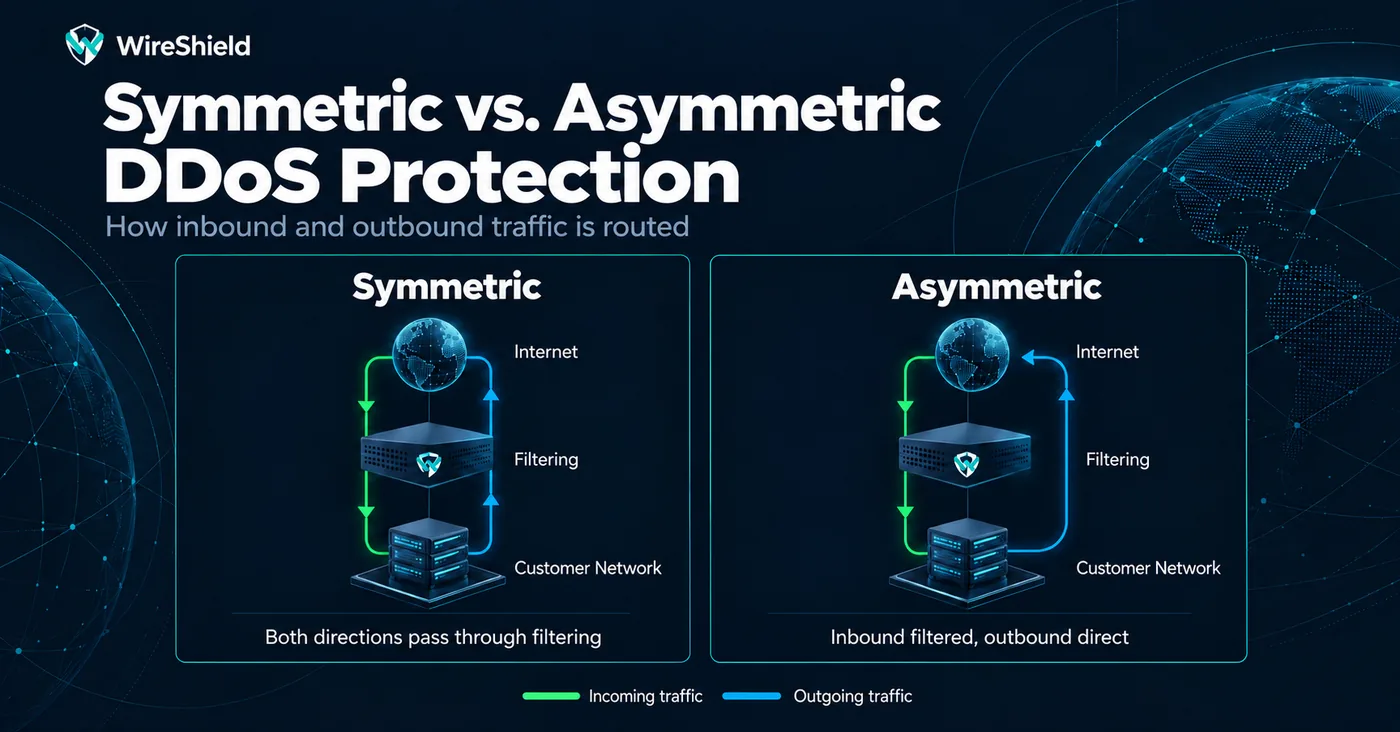
Symmetric vs. Asymmetric DDoS Protection
 WireShield Team · 6 min read
Read post


Technical Guide
A WAF inspects the HTTP requests sent to your web application and blocks harmful ones. Learn how it works, how it differs from a firewall, what it protects and how to choose one.
WireShield Team
7 min read
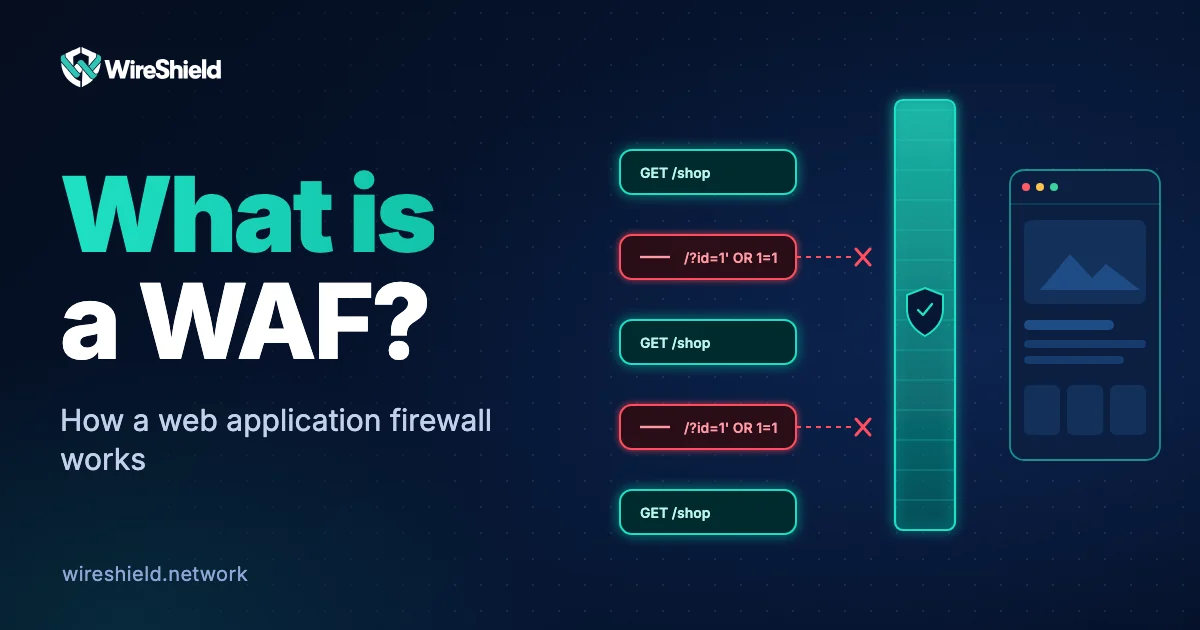
A WAF (web application firewall) is a security layer that sits between your web application and the internet, inspects HTTP and HTTPS requests and blocks the harmful ones. A network firewall looks at which IP may connect to which port; a WAF looks at the content of the request: it reads the URL, headers, cookies and body to decide whether a request is an attack such as SQL injection or XSS. This guide explains what a WAF is, how it works, what it protects and how to choose one.
A WAF is a filter that works at the application layer (layer 7 of the OSI model). It acts like a reverse proxy between the user and the application server. Every incoming request passes through the WAF first; requests that follow the rules are forwarded to the application, others are blocked, slowed down or sent to a challenge page.
The value of a WAF is that it can keep known attack patterns out without changing the application's code. Until a vulnerability is patched, it acts as a temporary shield.
A WAF does three basic things:
' OR 1=1) and blocks them; a positive model only allows defined, expected requests. Most WAFs use a mix of both.Rules come from two sources: managed rules that the provider keeps up to date and custom rules you write for your own application. A common open-source example is the OWASP Core Rule Set, which provides generic attack detection rules for ModSecurity and compatible WAFs.
The OWASP Top 10 is a widely used reference that lists the most critical security risks in web applications. Attacks a WAF typically helps with:
| Network firewall | WAF | |
|---|---|---|
| Layer | Network and transport (L3/L4) | Application (L7) |
| What it looks at | IP, port, protocol | URL, headers, cookies, request body |
| When it is enough | Restricting access at service level | Filtering attacks aimed at the web application |
| Example attack | Port scan, UDP flood | SQL injection, XSS, HTTP flood |
They do not replace each other; they complement each other.
DDoS protection stops volumetric and protocol attacks at link and network level in front of your link. A WAF evaluates requests at HTTP level. If the link is already full, traffic is lost before it reaches the WAF, so for volumetric attacks you need remote DDoS protection or inline protection. The rate limiting and challenge features of a WAF come into play for application-layer attacks such as an HTTP flood. We compared these attack types in types of DDoS attacks.
WireShield Web Protection is an L7 protection layer for websites, customer portals and HTTP APIs, managed from one panel:
Web Protection complements the L3/L4 protection at network and transport level.
No. A WAF blocks known attack patterns but does not remove the flaw in the code. Patching the vulnerability is still necessary; the WAF gives extra protection in the meantime.
Inspecting a request adds a very small delay. A WAF that also offers caching usually speeds your site up by serving static files from its own nodes.
Yes if the site has login forms, payments or customer data. For a simple brochure site, the need depends on your threat level and how you maintain it.
It reduces most of it with rate limiting, behavioural analysis and challenge pages. If the attack grows large enough to fill your link, network-layer filtering is needed too.
Usually not. You point the domain's DNS record to the provider and define your origin server details; your hosting stays where it is.
Tell us which domains and applications you want to protect, your traffic and your policy needs, and we will do a technical assessment together. You can look at the Web Protection page or talk to the technical team.
Technical Guide
WireShield Team · 5 min read
Read post
Contact our team to talk through your technical needs.