Technical Guide
Inline or Remote: which protection model fits your network?
 WireShield Team · 5 min read
Read post


Technical Guide
Remote protection sends your traffic through the WireShield filtering network first, without moving your servers. See how BGP routing, GRE delivery and the setup requirements fit together.
WireShield Team
5 min read
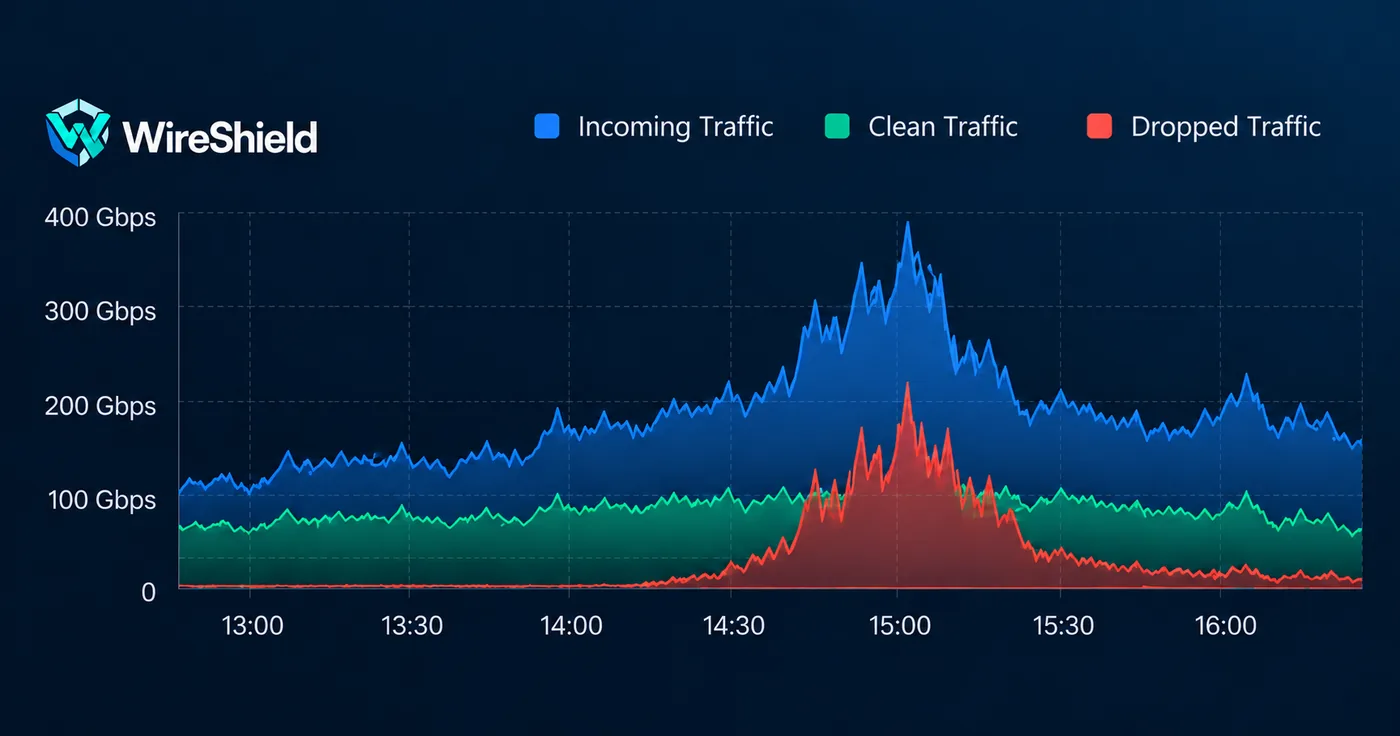
The biggest problem in a DDoS attack is trying to stop attack traffic after it has already reached your link. Once the link is full, the firewall on your server no longer helps. Remote DDoS protection moves filtering in front of your link: traffic passes through a filtering network first, and only the clean part returns to you. Your servers stay where they are.
Remote DDoS protection is a protection model that redirects your traffic to a remote filtering network so attacks are stopped before they reach your own network. You do not have to change your infrastructure, move servers or buy new hardware.
The flow has three steps:
This model fits hosting and cloud providers, internet service providers, and enterprise networks that need uninterrupted access for data center and cloud environments. See the remote DDoS protection page for details.
BGP is the protocol networks use to tell each other which IP blocks can be reached where. With remote protection a BGP session is built between your own ASN and prefixes and WireShield. When you announce the prefixes, traffic to those addresses arrives at the filtering network.
You can use protection in two ways:
A letter of authorization (LOA) and RPKI records are needed for the announcement; we complete these steps together during setup. Before taking BGP sessions live, have a look at the BGP go-live checklist.
Filtered traffic is delivered to your infrastructure with one of three methods:
| Method | How it works | When it fits |
|---|---|---|
| GRE tunnel | Delivery over a tunnel across the Internet | Quick setup, compatible with most environments |
| VXLAN | Flexible transport over Layer 2 | Data center and cloud environments |
| Cross-connect | Physical connection in the data center | High capacity and low latency |
The BGP routing plan follows the method you choose. If you have no router, we can discuss a Router VM. If you use GRE, tunnel MTU is the most common source of trouble; see our guide on MTU in GRE tunnels.
You do not need every answer up front, but technical assessment is much faster when these are ready:
For the complete list, use the pre-installation checklist in the documentation.
Filtering covers volumetric and protocol attacks at the network and transport layers: UDP flood, SYN flood, DNS and NTP amplification, ICMP flood and fragment attacks. HTTP/L7 and service-specific needs are scoped separately in a technical assessment. For UDP-based attacks, we explained which data to watch in the UDP flood guide.
While protection is active you follow everything in the Customer Portal: live traffic, attack history and downloadable PDF reports. You manage your own rules, rate limits and allow-list, and receive attack notifications by e-mail and webhook. The API reference is ready for integration with your own systems. For the whole portal, see the Platform page.
The price depends on the clean-traffic capacity you need (from 50 Mbps to 10 Gbps). Billing follows the 95th percentile, yearly billing includes a 15% discount and the number of protected prefixes is unlimited. You can see an indicative price in the price calculator; the final offer is set by the technical scope. For capacities above 10 Gbps or multi-location projects you can request a custom quote.
If you want to try remote protection first, fill in the trial form. You apply with your own ASN and prefix details; our team reviews the request and contacts you, and scope and dates are agreed before the trial starts.
No. Protection happens on the WireShield filtering network. You only need a router that speaks BGP; if you have none, we can discuss a Router VM.
No. Your servers stay in your current data center; only the traffic passes through the filtering network first.
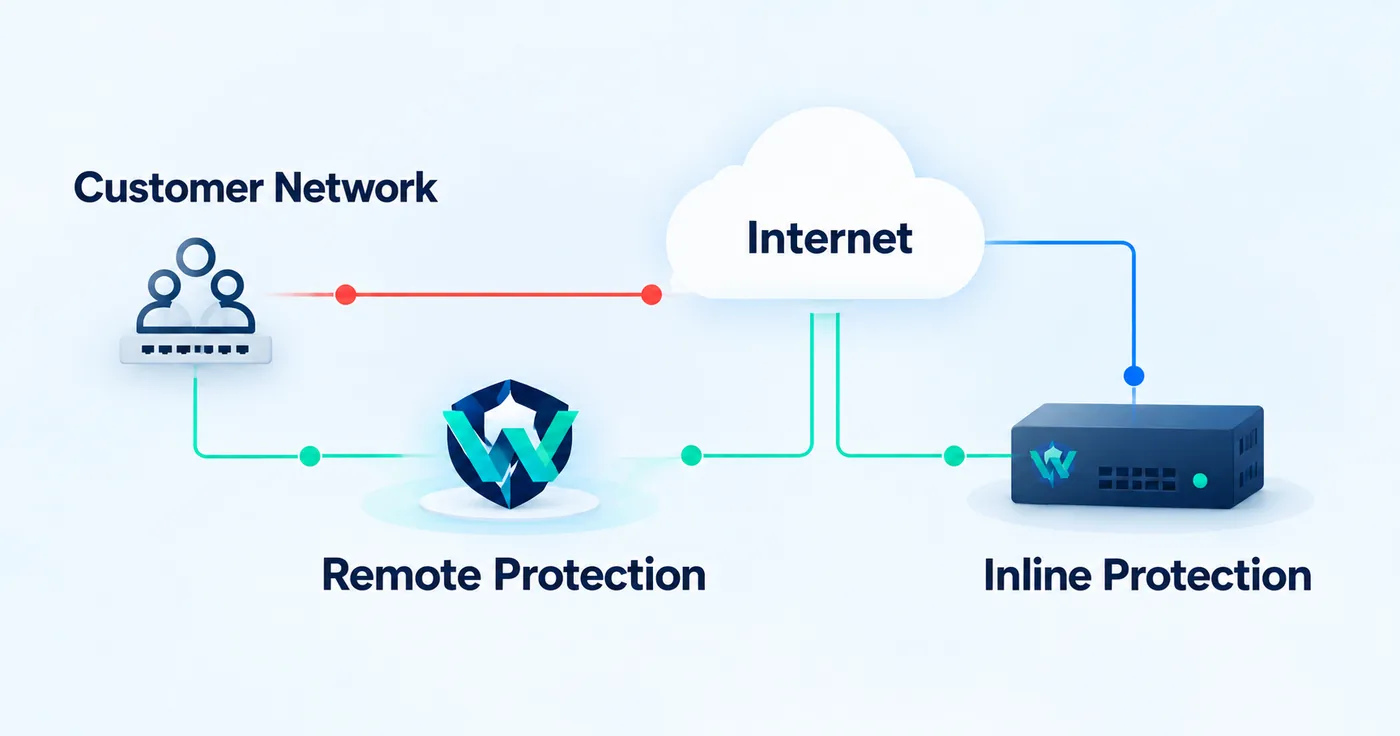
With remote protection traffic is filtered on WireShield infrastructure and clean traffic returns to you. WireShield Edge filters traffic inside your own network, inline. For selection criteria see the inline vs. remote comparison.
Share your topology and traffic needs and we will choose the right connection method together. You can talk to the technical team or calculate the price as your next step.
Technical Guide
WireShield Team · 5 min read
Read post
Technical Guide
WireShield Team · 7 min read
Read post
Contact our team to talk through your technical needs.